Resident Evil Requiem seems to be doing great, with highly positive feedback from the community. However, players are struggling to change their mouse sensitivity for Leon or Grace. This Resident Evil Requiem guide will help you adjust your mouse and camera sensitivity.
Changing your Mouse Sensitivity in Resident Evil 9 Requiem
It’s not that the game doesn’t let you adjust mouse sensitivity, it’s that the option is hidden in the menus. The process is pretty easy; all you have to do is follow these steps:
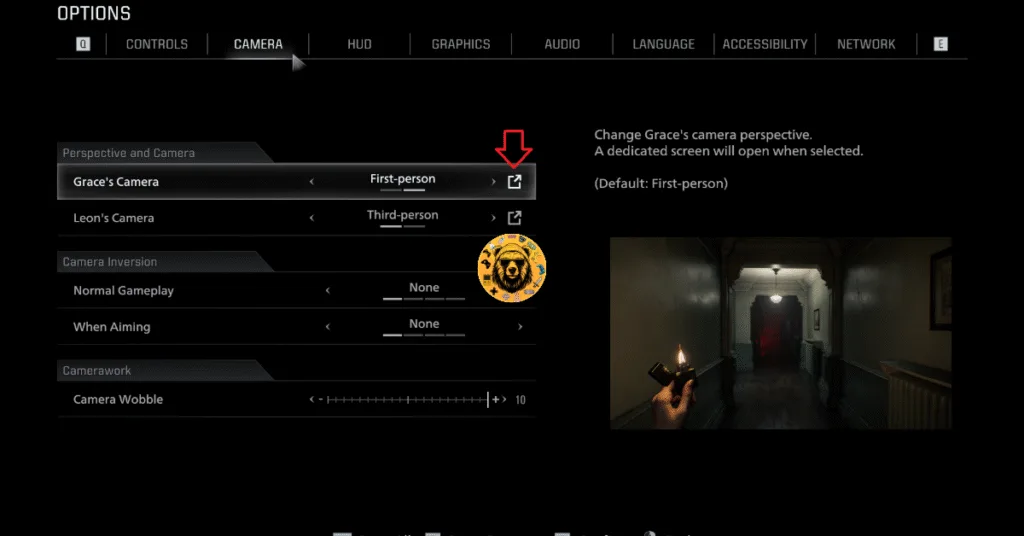
- In your game’s menu, click on Options.
- Head over to the Camera tab.
- Click on the button to the right of Grace’s or Leon’s Camera setting.
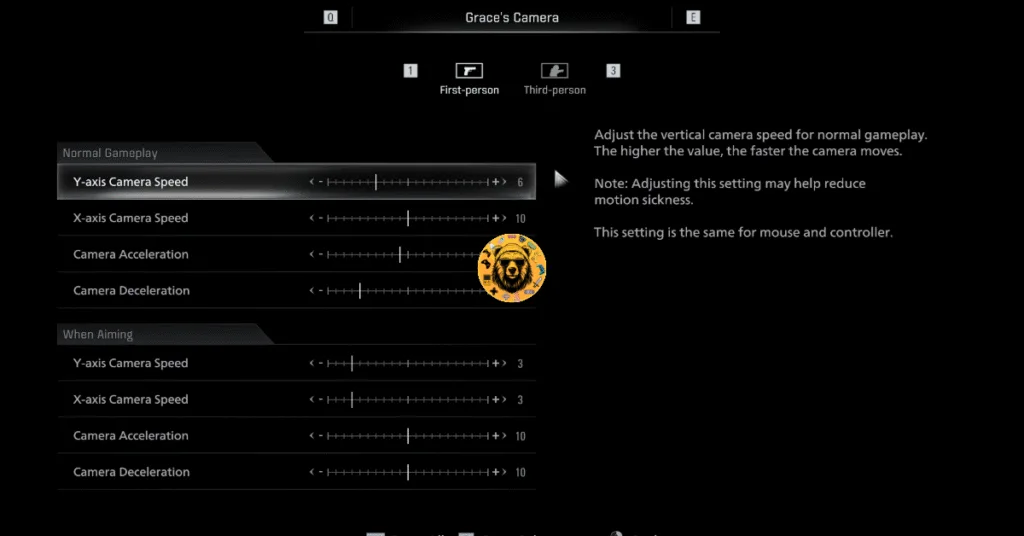
- Here, you can adjust your mouse’s sensitivity for First Person and Third Person perspectives.
And that’s how you change your mouse’s sensitivity in Resident Evil Requiem. You may check out our site for more Resident Evil Requiem guides.