Death Stranding 2: On the Beach has released for PC with a great reception from players. While it is an optimized game, PC users are unable to play it as it crashes at startup or doesn’t launch at all. Here, I have compiled a list of verified fixes that will resolve the Death Stranding 2 not launching issue on your Windows PC.
Death Stranding 2: On the Beach Crash at Startup Fixes That Work
As per feedback from PC players, Death Stranding 2 keeps crashing at startup or fails to launch. There are multiple reasons why you are experiencing the game not launching issue, such as the game not having administrative rights, missing or damaged system files, proton incompatibility (Linux users), and more. The following fixes will resolve the Death Stranding 2 not launching issue.
Fix #1 – Use an Older Proton Branch (Confirmed Fix)
Linux is gaining more and more popularity in the gaming space, as distros, like Bazzite, are helping PC users to play games easily. Not to mention that Linux doesn’t have the AI bloat that Microsoft is pushing in Windows.
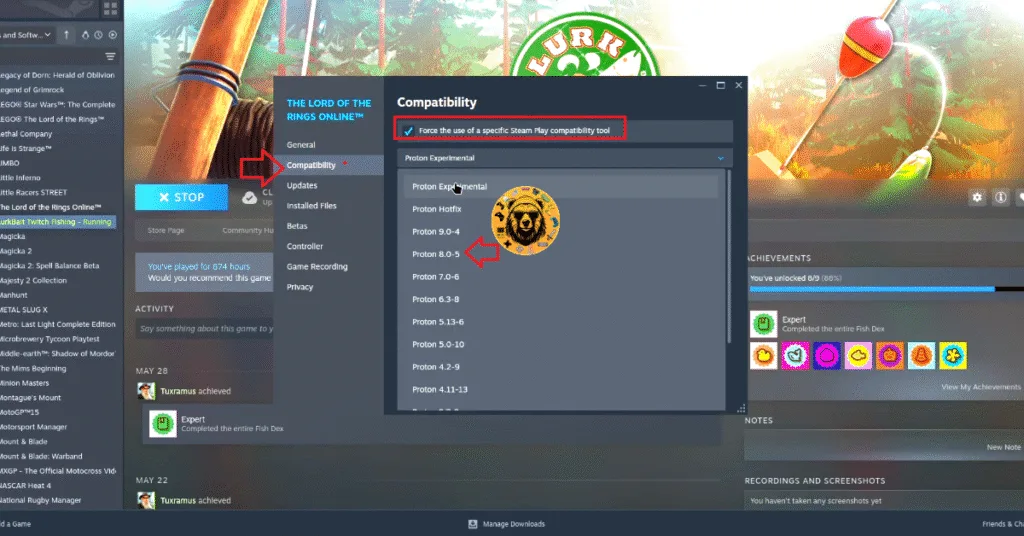
However, Linux users are unable to play Death Stranding 2, as it crashes at startup. Players report the “wine assertion” error when they try to launch the game. The Death Stranding 2 not launching error can be fixed by using the 8.0-5 branch of Proton. PC users confirm that using this branch of Proton fixed the DS2 failed to launch issue on their Linux PCs.
Here is how you can change the Proton branch and fix the Death Stranding 2 crashing at startup issue:
- Right-click Death Stranding 2 in your library, and click “properties”.
- Open the “Compatibility” tab.
- Check the “Force the use of specific Steam Play compatibility tool” option.
- After that, use the drop down meny under it and select 8.0-5.
- Launch Death Stranding 2, and it’ll launch without crashing.
For those who don’t know, Proton is a translation layer provided by Steam that allows Windows executables for games to run on Linux. In short, it allows games that are not natively supported on Linux to run.
Fix #2 – Run DS2 as an Administrator
The reason Death Stranding 2 is not launching on your Windows PC is that it lacks administrative rights. Run Death Stranding 2 as an administrator on your PC to fix the issue. Here is how you can run the game as an administrator to fix crashes at startup:
- Right-click Death Stranding 2 in your Steam library, hover the cursor over “Manage“, and click “Browse local files“.
- A new Windows Explorer tab will open, containing DS2 game files.
- Right-click the executable and click “properties”.
- In the small window that opens, go to the “Compatibility” tab.
- Check the “Run this program as an administrator” option, and apply the changes.
- Launch Death Stranding 2 and it’ll launch without crashing.


Fix #3 – Repair System Files and Visual C++ Components
Corrupt or damaged System files or Visual C++ components are the reason Death Stranding 2 is not launching on your PC. You can fix this issue by repairing System files and Visual C++ components.
Install or Repair Visual C++ Components
- Go to the Steam Library and type “Steamworks” in the search bar.
- Right-click “Steamworks Common Redistributables” > Manage > click “Browse local files”.
- Open _CommonRedist\vcredist in the explorer window that opens on your screen.
- You will get a list of folders with names in years starting from 2010.
- Open each folder one by one and run the VC_redis for both x64 and x86 versions.
- Repair or install Visual C++ Redistributables.
- Restart your PC.
- Launch Death Stranding 2, and the crash at startup issue is now fixed.


Run DISM and SFC Scans
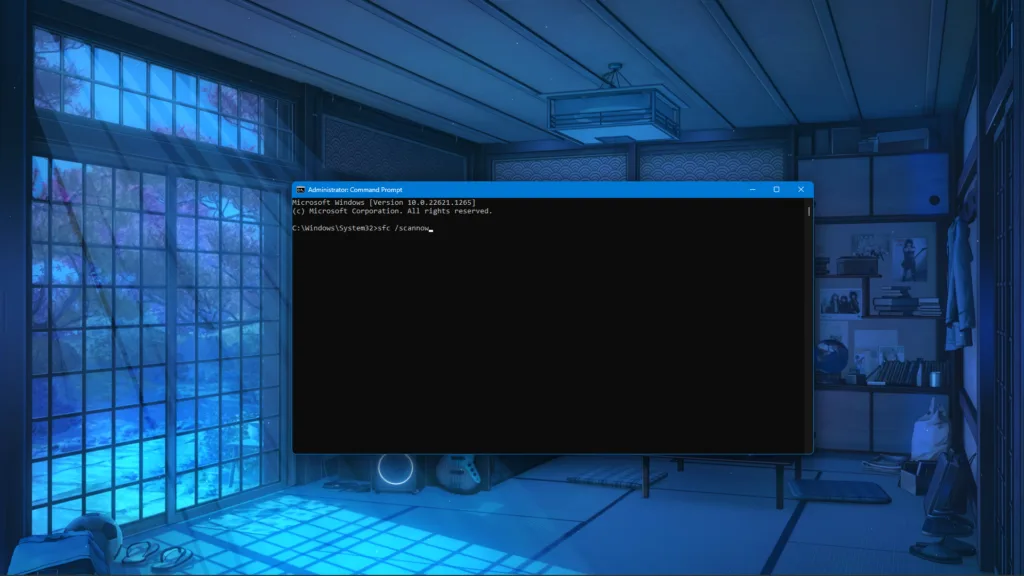
- Press the Windows key on your keyboard, type “cmd”, and run Command Prompt as an administrator.
- Type sfc /scannow and hit Enter.
- Windows will run a scan. Let it complete fully.
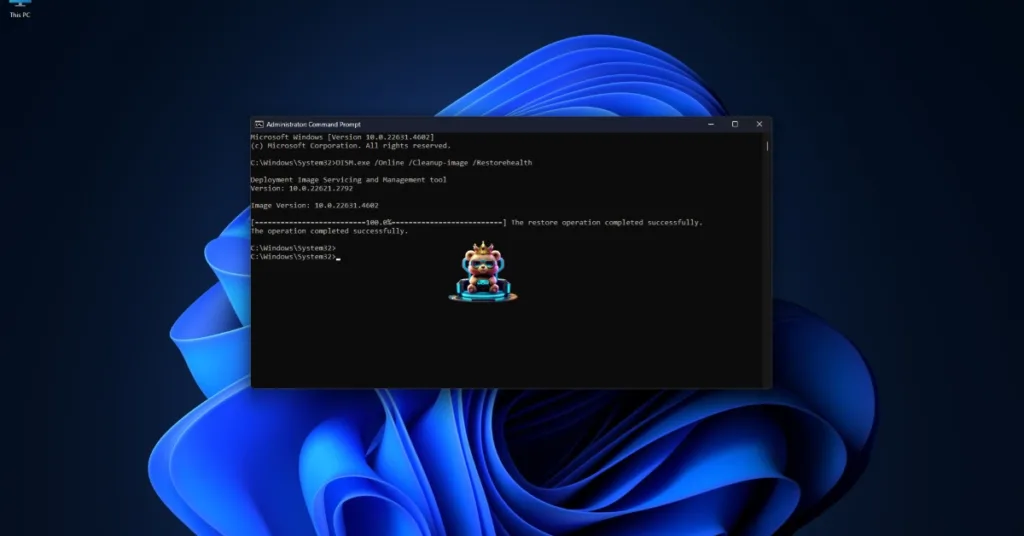
- After the first scan is complete, type DISM.exe /Online /Cleanup-image /Restorehealth and press Enter again.
- Let Windows complete this scan as well.
That is all for our fixes for Death Stranding 2 crashing at startup issue on Windows and Linux. f you are experiencing errors and crashes in games, also see our fixes hub for commonly occurring errors for PC and handhelds.