Hiring employees in Schedule 1 is the best way to increase your production and profits. Because running a big operation in this video game isn’t a one man’s job. Be more like Gus than Heisenberg, delegate.

How to Hire Employees in Schedule 1
To get started with hiring employees in Schedule 1, you need to complete a mission called “Wretched Hive of Scum and Villainy.” It is not too far into the game and leads to you getting yourself a warehouse in Schedule 1.
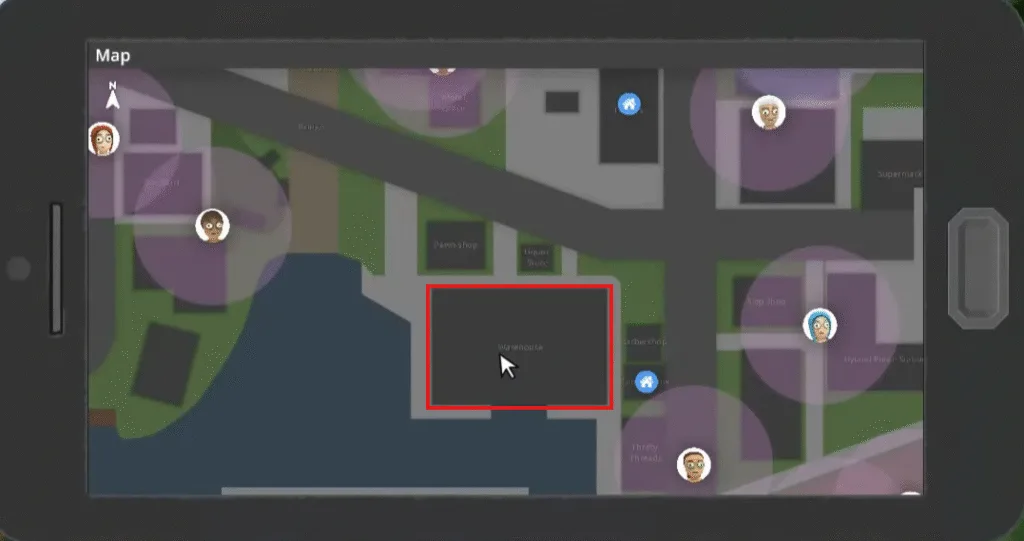
Head upstairs, and you will be able to hire these 4 types of employees. The warehouse gives you access to hiring new employees, weapons, and liquid products. These are the employees that you can hire in Schedule 1:
- Botanist
- Cleaner
- Chemist
- Handler
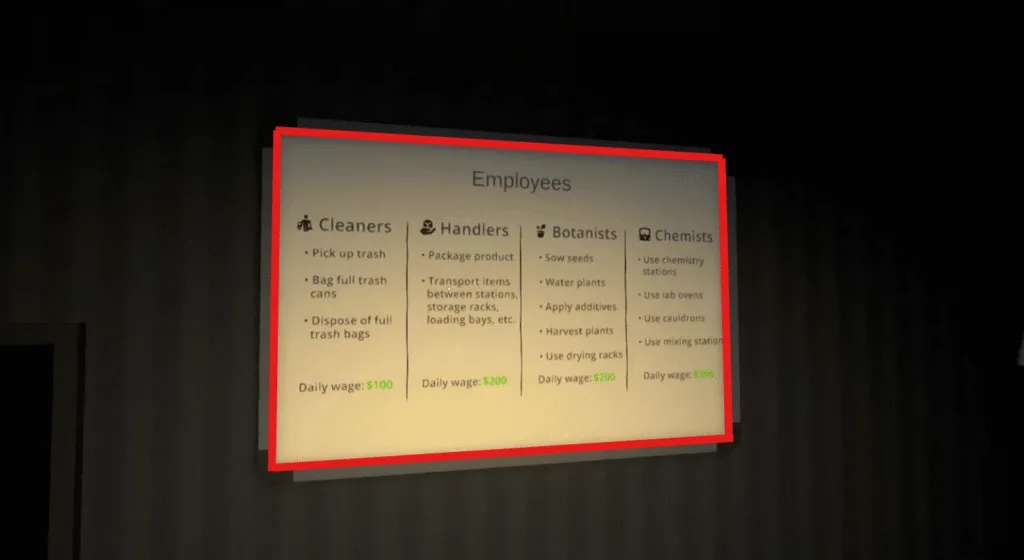
Talk to Manny and the NPC character beside the employee categories, and you will be able to hire each one of them.

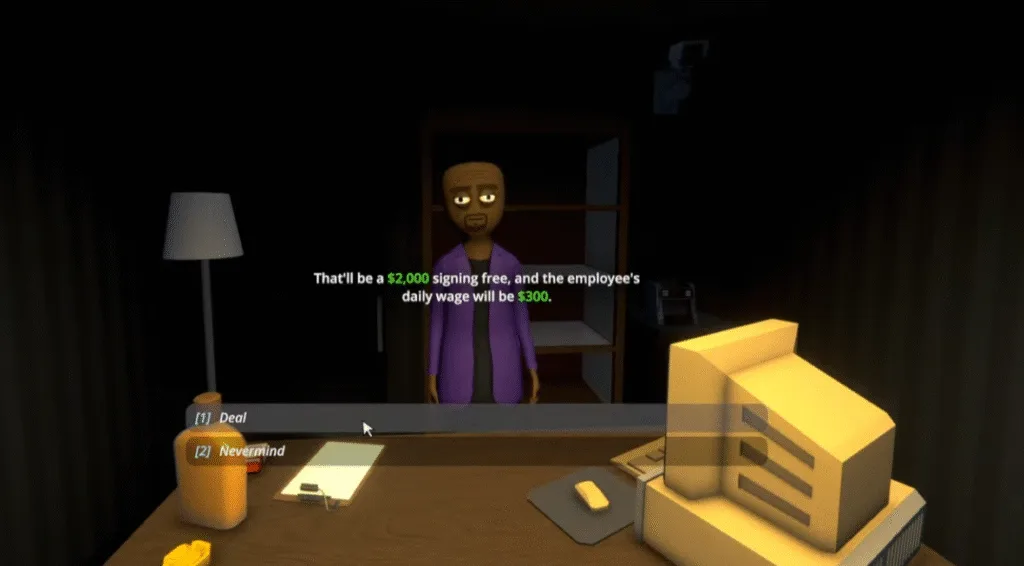
Once I hire any one of them, the task is not done, yet you have to provide a location for them to stay, which he will ask you to. I selected a chemist whose signing cost is 2000$ and 300$ per cost, the highest among all. After selecting that a dialogue box appears, asking where you want them and giving them a bed.

You can choose from a bungalow and a sweatshop. As a sweatshop has a limit so you can choose a bungalow.
Afterwards, go to the assigned property, in my case, a bungalow, and you will find your newly hired employee outside that building.

Types of Employees and Their Roles
Each employee that you hire in Schedule 1 has their per-day cost that varies according to their roles. Here’s the list of the cost per day of each employee in Schedule 1:
- Botanist $200 per day
- Cleaner $100 per day
- Chemist $300 per day
- Handler $200 per day
| Employee | What They Do | Hiring Cost | Daily Wage | When to Hire |
|---|---|---|---|---|
| Cleaner | Keeps the workspace clean and removes trash | $1,000 | $100 per day | Early game to avoid clutter penalties |
| Botanist | Plants, maintains, and harvests crops | $1,500 | $200 per day | Once farming becomes consistent |
| Handler | Transports items and handles packaging | $1,500 | $200 per day | Mid-game automation |
| Chemist | Processes materials and creates products | $2,000 | $300 per day | Late game for high-value production |
Employee hiring fees and daily wages may vary depending on progression and game updates.
Botanist
Botanists manage plant growth and provide resources at a daily rate of $200. The initial setup requires assigning them a bed and linking them to a supply shelf that contains seeds and soil.
A single Botanist can handle the growth of plants in 8 grow pods while you decide which seeds to use and any additional plant tweaks.
You can let Botanists choose where to store the ready plants, or they can store them on a designated rack. The Botanist team operates without extra equipment because they already have clippers as part of their package.
Cleaner
Workspace organisation and efficiency depend heavily on Cleaners who perform their duties effectively.
Cleaners work for $100 each day to remove trash from designated areas, which helps create a more organised and efficient environment for mixing in Schedule 1.
You can set up a Cleaner by assigning them a bed, then linking them to nearby trash cans. After receiving their assignment, the Cleaners will manage all trash that falls within their operational range.
Chemist
Production depends on Chemists who earn the highest daily rate of $300 yet deliver the most value to the operation. After placing them in their bed, ensure they are connected to both chemistry sets and lab ovens.
Every station needs a specific recipe and a target destination, like moving substances from chemistry sets to ovens.
Make sure to provide an output rack for the final product during the manufacturing process.

Handler
The Handler position costs $200 each day to manage product transfers between storage facilities and packaging stations.
The assigned Handler will work with a maximum of three packaging stations.
Storage rack to packaging station routes require setup, so your organisational skills will be tested while managing each employee in Schedule 1.
Auto-packing machines perform this task with equal efficiency, so hiring a Handler becomes unnecessary unless your operation has an excessive workload.
How to Assign Station and Pay Employees in Schedule 1
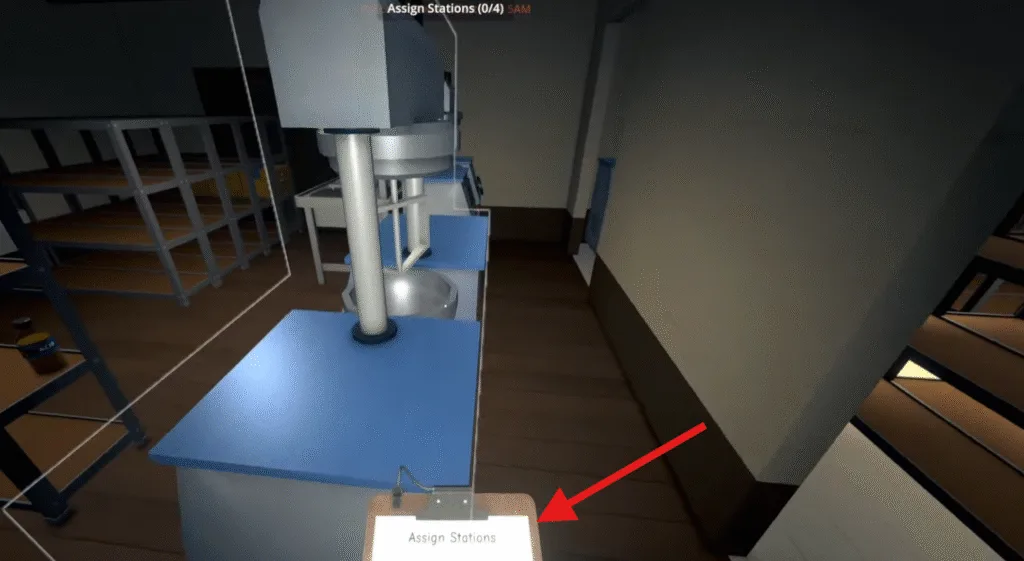
Once you hire an employee, the next task is to assign them some work. After hiring your first employee in Schedule 1, you will receive the Management Clipboard, which you will need to assign tasks.

To assign tasks to your workers, you need to stand board while pressing 9 (on the hotbar) on your keyboard, followed by E to access the assignment menu. Before assigning specific tasks, you need to give each worker a bed.
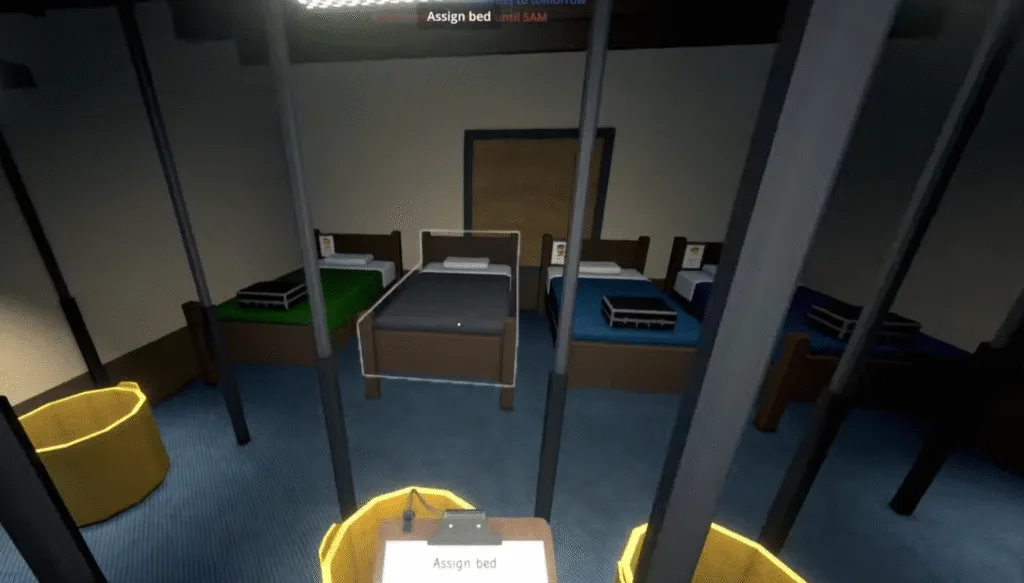
After assigning a bed to them, now to start working, assign them a working station; each employee has their limit of how many stations you assign them. Head to the station and right-click to assign the desired working station to the given employee.
You can pay your workers by interacting with the briefcase located at the end of their beds, and in this briefcase, you can add their daily wages.
If employees stop working, remember they operate on work schedules and need physical access to the assigned task locations unreachable spots will stop them from functioning.
Paying workers ahead of time by a few days helps decrease daily management needs and maintains operational efficiency.