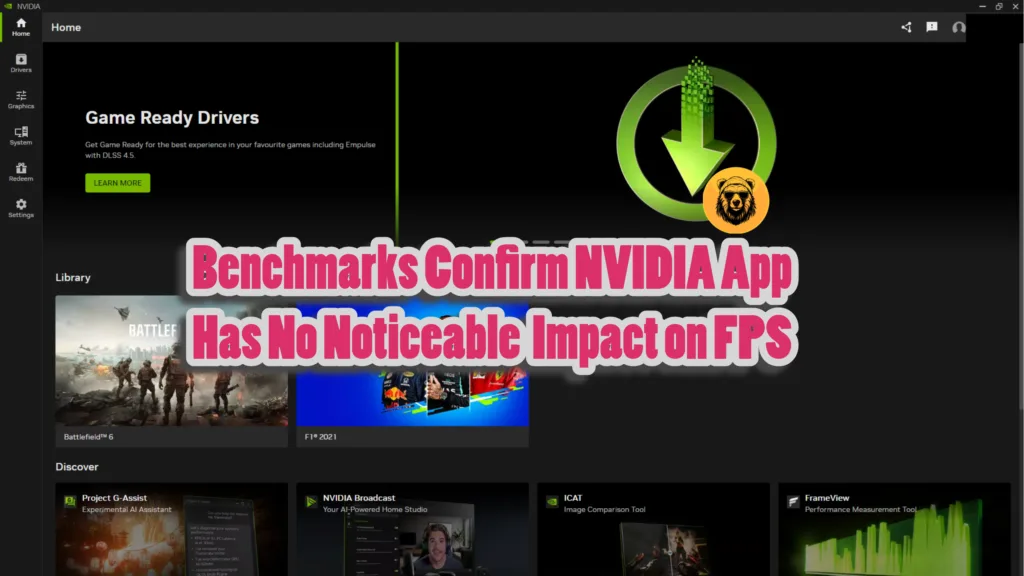
Every app and tool takes up PC resources, which can lead to a reduction in FPS while gaming. NVIDIA App, meant to replace the NVIDIA Control Panel, is relatively new, and you might be skeptical that it is eating your FPS while running in the background. Turns out, NVIDIA App has no impact on game performance, as per benchmarks performed by TechSpot. However, NVIDIA game filters do cost you frames while playing.
NVIDIA App Does Not Reduce FPS
The tests were done with a clean driver install for both NVIDIA App running and closed in the background. Turns out, the app does not impact the game performance. The benchmarks were performed on the RTX 5060 Ti 16GB paired with a Ryzen 7 9800X3D.
Forza Horizon 6, Marvel Rivals, and Crimson Desert were the games used to measure the performance impact. On top of that, enabling the NVIDIA overlay also had zero FPS penalty.
Gameplay Recording Has Limited Performance Cost
However, not every feature of the NVIDIA App gets a free pass. The gameplay recording tool, Shadowplay, had a limited impact on the performance of the tested games. Overall, the games saw a reduction of 2 FPS with gameplay recording turned on at native 1440p resolution.
NVIDIA Filters Do Lower Your FPS
NVIDIA Filters allow users to add filters to active gameplay. These filters let players change the look of the game or add post-processing effects, like RTX HDR. Turns out, just enabling the game filters, not actively using them, causes the game performance to drop by 10%.
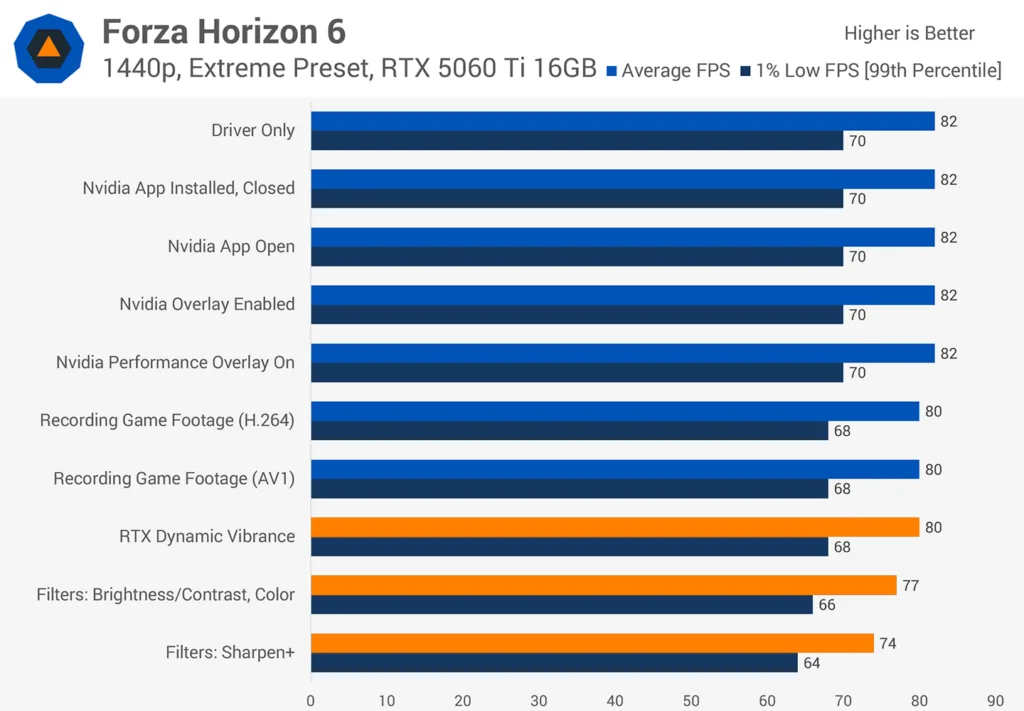
However, the performance impact varies depending on which filter is used. RTX Dynamic Vibrance, Brightness/Contrast, and Color filters reduced 2-5 FPS. However, the Sharpen+ filter reduced the FPS by 10%.
These results were consistent even on the older RTX 2060 GPU, which means that NVIDIA App and its features have little to no impact on game performance.
NVIDIA Filters causing low FPS in games isn’t new information, as it came to light in early 2025. Even NVIDIA keeps its filters disabled by default on a fresh NVIDIA App install, as it is a known issue with filters.
To put it simply, NVIDIA App has no measurable impact on performance. However, the test didn’t measure the impact on 1% and 0.1% lows in FPS. Maybe those might be impacted more than the average FPS.
So, what do you think of it? Is NVIDIA App a better alternative to the NVIDIA Control Panel? Let us know in the comments below.